
DubEval 0.1.1: works on company networks
Model downloads and Perso links now work behind company proxies and security software, and a blocked connection tells you what to ask IT.
· 1 min read
A practical checklist for reviewing AI and voice-actor dubs (timing, speech, voice, meaning and sound) and how DubEval finds the moments worth watching.
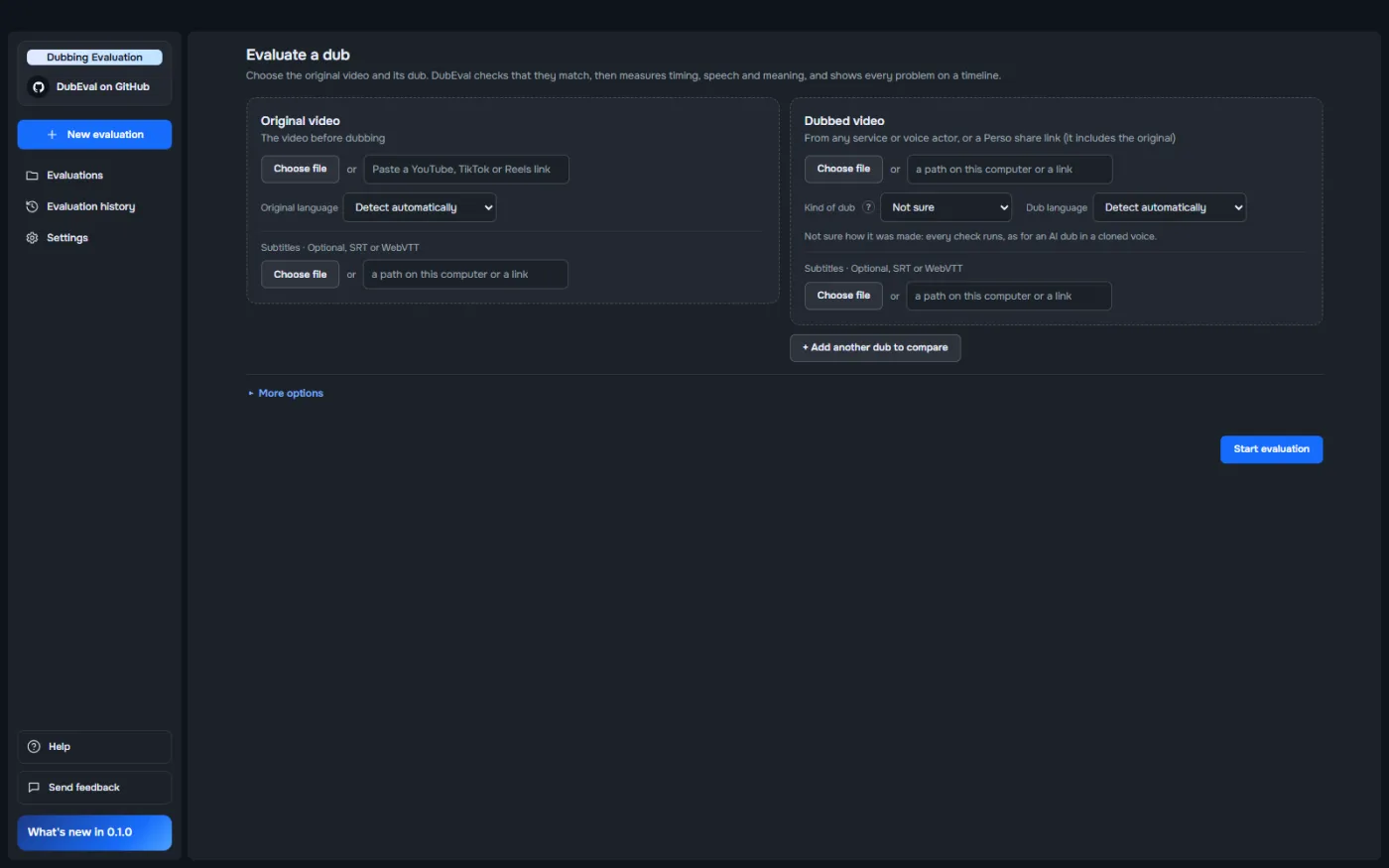
A dub can sound fine for the first minute and still have a silent gap at 3:12, a line in the wrong voice, or one word that changes the meaning. This guide lists what to check in every dub, and how to find those moments without watching every minute in every language.
One video in ten languages means ten full viewings. In practice, reviewers spot-check the start, skip ahead, and hope. The problems that reach viewers are usually the ones in the middle: easy to miss on a quick pass, and hard to describe afterwards.
“Sounds a bit off” isn’t feedback a vendor can act on. Good feedback has a time and a reason: “0:42–0:44, line 7 runs into the next line.”
Before judging the dub, make sure you’re comparing the right things. Is it the same cut as the original, or are parts missing? Is the dubbed track shifted in time?
Does the dub speak when the original speaks? Watch for lines that run into the next one, lines much longer or shorter than the original, and long silences where someone should be talking.
Is it the right language everywhere, and not the original voice left in? Is the speech clear, and is the pace natural for the language, not rushed to fit the time?
Does the dubbed voice sound clean next to the original at the same moment, not robotic or distorted? For cloned voices: does it still sound like the same speaker, all the way through?
Is each line correct, natural and right for the context? Words with several meanings are a classic trap. “Launch” in a product video should be a product launch, not a rocket launch.
Listen for sudden jumps in loudness, clipping and distortion. Check that the picture and the other audio didn’t change.
DubEval runs all six checks for you and points to the moments worth a person’s time.
There is no single 0–100 score on purpose. Weights between checks would be arbitrary, so each check shows what was measured and how it’s graded instead.
Every audio and video check runs on your computer, and nothing is uploaded. The optional meaning check sends only the two transcripts (text, never audio or video) to the AI you choose, or none at all with the local model.
Made the same video with different services, voices or vendors? Add 2 to 8 dubs and DubEval ranks them, recommends the one to deliver and says why in plain words. The ranking rule is fixed and printed, so the same dubs always give the same answer.
DubEval is free and open source. Download it, run it on a dub you’ve already reviewed, and see whether it finds what you found.
DubEval is free and open source. Download it for Windows and check your first dub in a few minutes.
v0.1.1 · 505 MB · Windows 10 and 11 (64-bit)